 Pixel Helper
Safari extension for macOS
See what fires on the page.
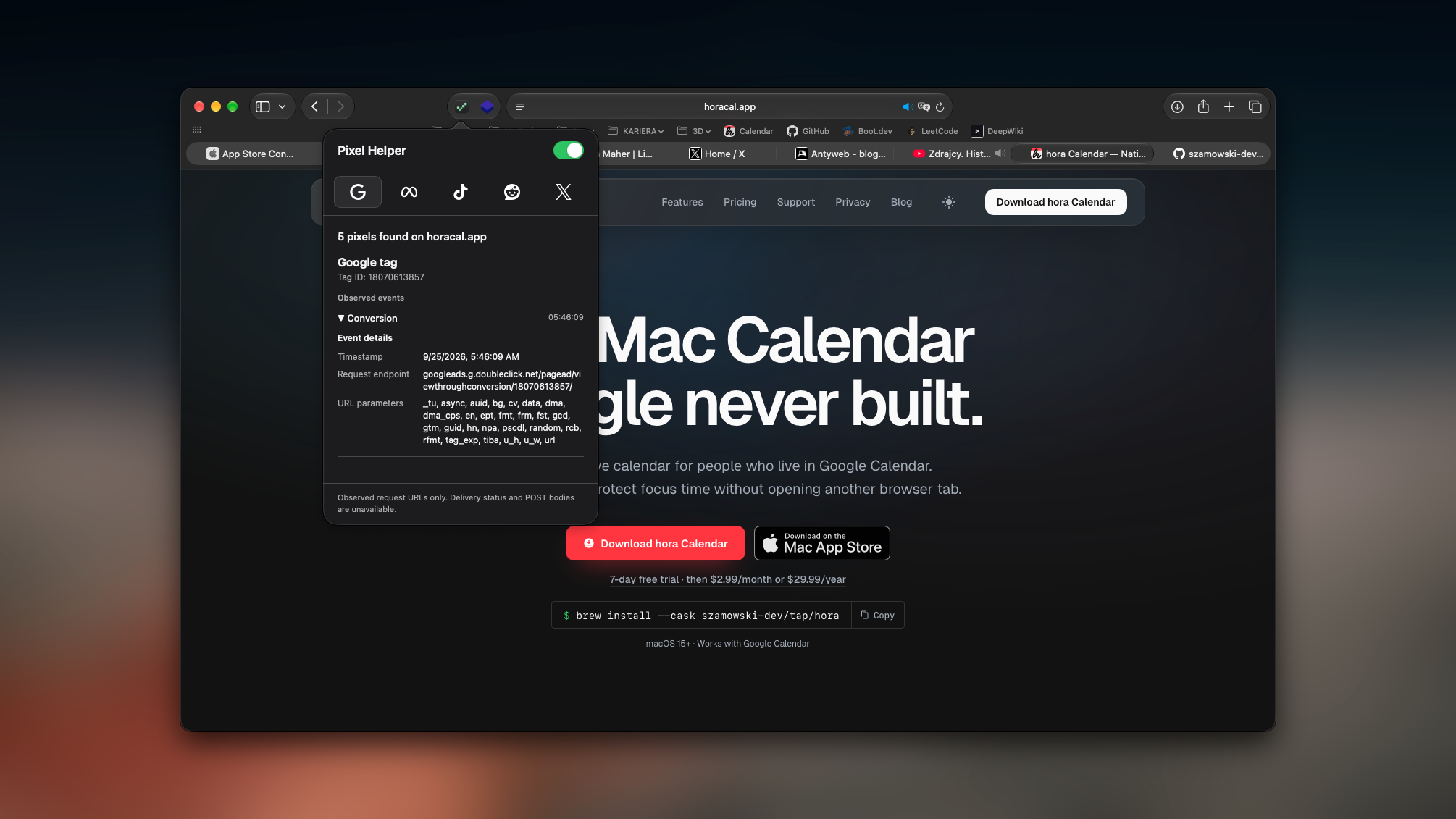
Inspect the Google tags and tracking pixels your browser observes, with IDs, events, and available request parameters in one place.
What it shows
A clearer view of the tags on your site.
Five providers
Google tag, Meta Pixel, TikTok Pixel, Reddit Pixel, and X Pixel detection from observed requests.
Useful details
See each available Tag ID or Pixel ID, event name, time, endpoint, and URL parameter values.
Local inspection
Pixel Helper does not send the browsing data it observes to a Pixel Helper server.
Made for debugging. Detection means a request was observed. It does not confirm delivery, inspect POST bodies, or reveal server-side conversion events.
Read the privacy policy →From the creator of